
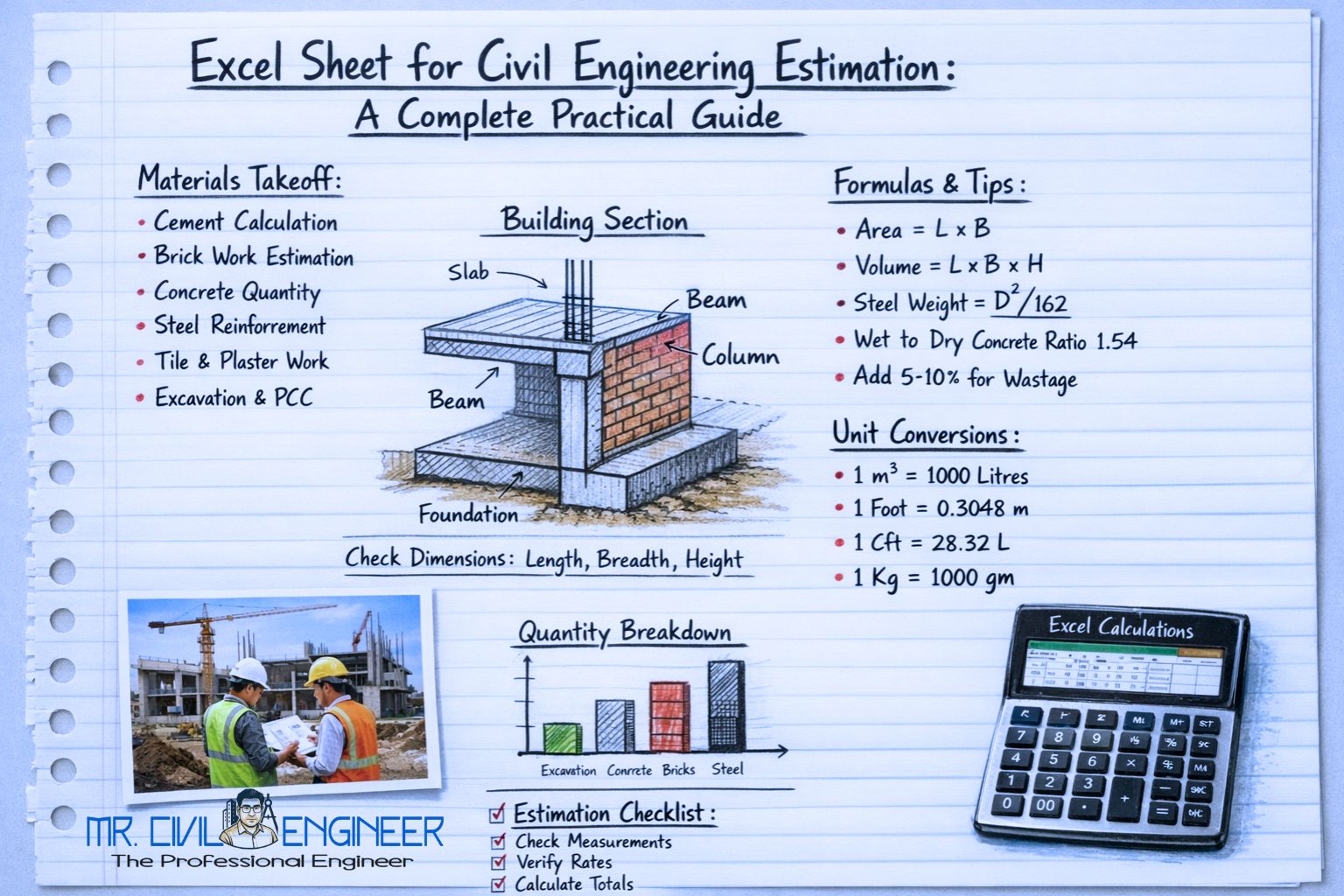
Even with advanced estimation software available today, Excel remains the most trusted tool for civil engineering estimation. From small residential houses to large commercial projects, engineers still rely on Excel sheets to calculate quantities, prepare BOQs, and control costs.
Why?
Because Excel is flexible, transparent, and completely under your control.
This guide explains how an Excel sheet for civil engineering estimation works, what it should contain, and how it is used step-by-step in real construction projects.
Why Use Excel for Civil Engineering Estimation?
Before software tools, engineers used notebooks and calculators. That approach is slow and prone to errors. Excel changed everything.
Key Advantages of Excel in Estimation
- Automatic calculations using formulas
- Easy modification when drawings change
- Clear quantity tracking
- Error reduction
- Professional BOQ presentation
- No expensive software required
Think of Excel as a digital estimation register—but smarter, faster, and reusable.
What an Ideal Estimation Excel Sheet Should Contain
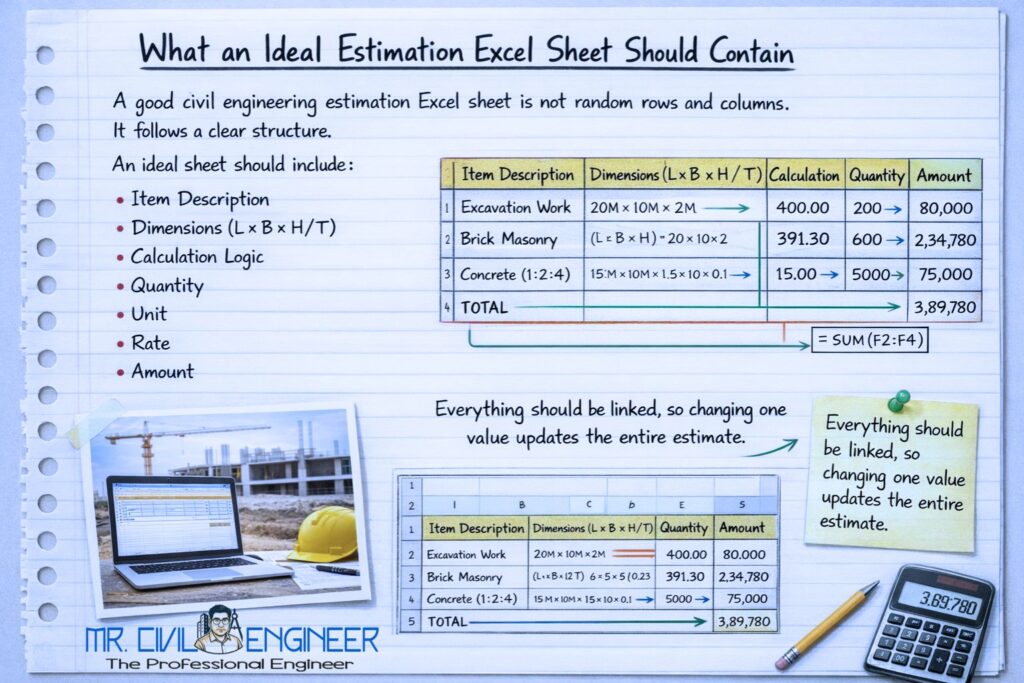
A good civil engineering estimation Excel sheet is not random rows and columns. It follows a clear structure.
An ideal sheet should include:
- Item description
- Dimensions (L × B × H / T)
- Calculation logic
- Quantity
- Unit
- Rate
- Amount
Everything should be linked, so changing one value updates the entire estimate.
Types of Excel Sheets Used in Civil Engineering Estimation
In practice, estimation is divided into multiple linked Excel sheets, not just one.
1. Quantity Calculation Sheet
Used to calculate quantities from drawings.
Example:
- Brickwork
- Concrete
- Plaster
- Flooring
This sheet focuses on dimensions and formulas, not cost.
2. BOQ Excel Sheet
The BOQ sheet summarizes quantities item-wise.
It includes:
- Description of work
- Unit
- Quantity
Rates are added later during tendering.
3. Rate Analysis Excel Sheet
This sheet breaks down cost per unit.
Includes:
- Material quantities
- Material rates
- Labour cost
- Shuttering and equipment
- Contractor margin
This sheet helps decide realistic rates.
4. Abstract of Cost Sheet
This is the final output sheet.
It shows:
- Item-wise cost
- Section-wise totals
- Overall project cost
This is the sheet used for:
- Budget approval
- Client discussion
- Loan documentation
Structure of a Civil Engineering Estimation Excel Sheet
A well-organized Excel file usually looks like this:
Sheet 1: Project Info
- Project name
- Location
- Client
- Date
- Prepared by
Sheet 2: Quantity Take-Off
| Item | Length | Breadth | Height | Nos | Quantity |
|---|
All quantities are calculated here using formulas.
Sheet 3: BOQ
| Item No | Description | Unit | Quantity |
|---|
Quantities are linked from the take-off sheet.
Sheet 4: Rate Analysis
| Material | Qty | Rate | Amount |
|---|
Used to calculate item rates accurately.
Sheet 5: Abstract of Cost
| Item | Amount (₹) |
|---|
Final cost summary.
Step-by-Step Workflow Using Excel for Estimation
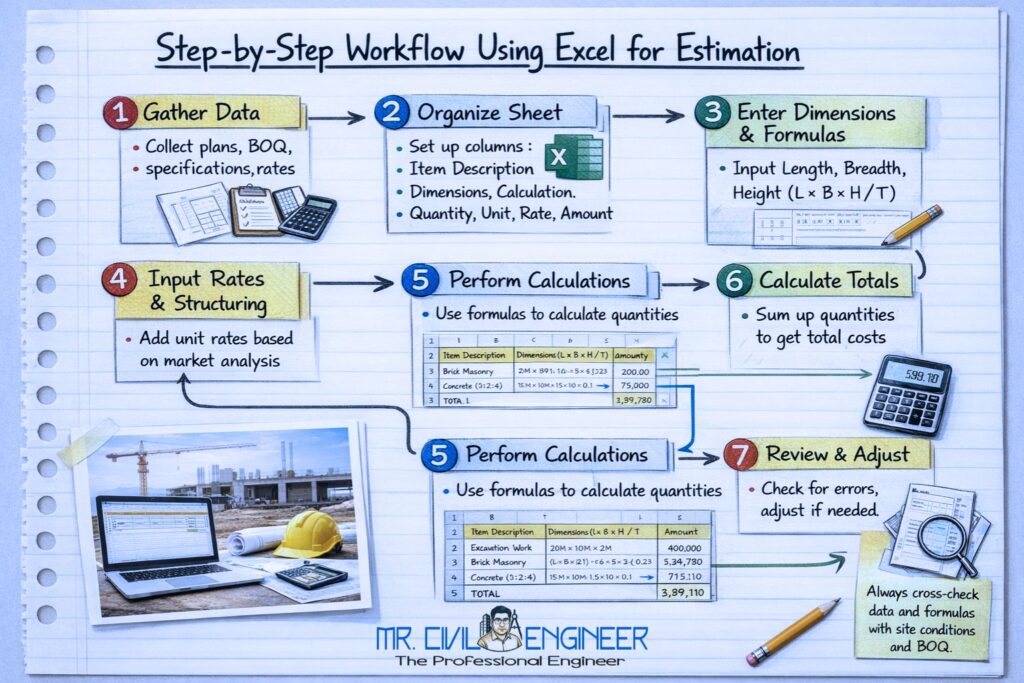
Let’s understand how Excel is used from start to finish.
Step 1: Study Drawings
- Architectural drawings
- Structural drawings
- Identify all items of work
Step 2: Quantity Take-Off in Excel
- Enter dimensions
- Use formulas (L × B × H)
- Calculate quantities item-wise
Example:
=Length * Breadth * Height * Nos
Step 3: Prepare BOQ Sheet
- Copy quantities automatically
- Group items logically
- Maintain clear descriptions
Step 4: Perform Rate Analysis
- Calculate material cost
- Add labour and overheads
- Fix realistic rates
Step 5: Generate Abstract of Cost
- Multiply quantity × rate
- Summarize total cost
- Apply contingencies
This entire workflow can be updated instantly by changing one input value.
Key Excel Formulas Used in Estimation
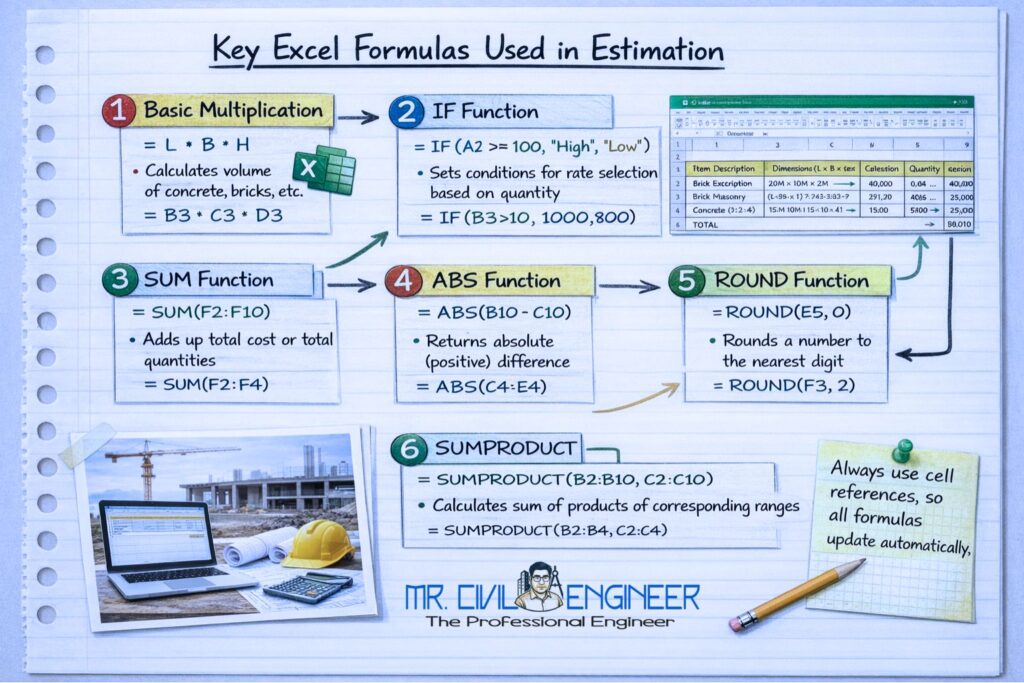
Some essential Excel formulas every civil engineer should know:
=SUM()– Total quantities and costs=PRODUCT()– Dimension multiplication=IF()– Conditional logic=ROUND()– Avoid decimal errors- Cell linking (
=Sheet2!E10) – Dynamic updates
These formulas make estimation error-resistant and efficient.
Advantages of Excel-Based Estimation in Real Projects
- Saves 30–40% estimation time
- Easy checking and auditing
- Works for small and large projects
- No dependency on specific software versions
- Accepted by consultants, banks, and contractors
That’s why Excel remains the industry backbone for estimation.
Common Mistakes While Using Excel for Estimation
- Hardcoding values instead of formulas
- Mixing units (m, mm, ft)
- Not protecting formula cells
- Poor sheet organization
- No version control
A small Excel mistake can lead to big financial errors.
FAQs
Q1. Is Excel sufficient for professional civil estimation?
Yes. Excel is widely used even in large projects.
Q2. Do I need advanced Excel knowledge?
No. Basic formulas are enough for most estimation work.
Q3. Can Excel estimation replace paid software?
For most residential and medium projects—yes.
Q4. Should Excel sheets be standardized?
Yes. A standard format improves speed and accuracy.
Conclusion
An Excel sheet for civil engineering estimation is more than just a calculation tool—it is a decision-making system. It helps engineers plan accurately, control costs, and present professional estimates with confidence.
In a field where numbers decide success or failure, Excel gives you clarity, control, and confidence.
In civil engineering, good estimation starts with a good Excel sheet.
Related Articles
- BOQ Preparation Step-by-Step: A Practical Guide for Construction Projects
- Rate Analysis of RCC Work: Step-by-Step Guide with Example
- Plaster Quantity Calculation (Area-Wise): Step-by-Step Guide
- Brickwork Quantity Calculation (With Formula): Step-by-Step Guide
- Cement, Sand & Aggregate Calculation for House: Step-by-Step Guide