
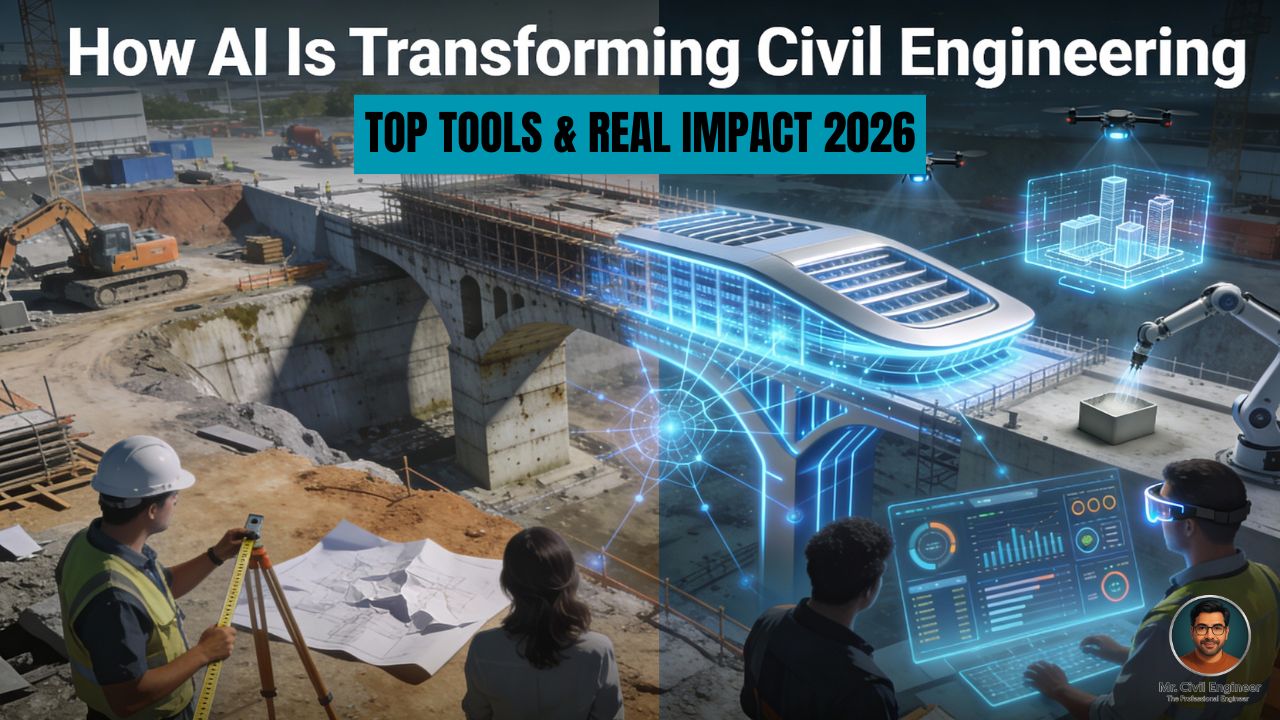

Picture two highway projects. On one, engineers walk the alignment with handheld GPS, update Excel schedules late at night, and chase contractors for progress photos. On the other, drones scan the site automatically, AI flags delays before they happen, and designs are optimized in hours instead of weeks. The second project is not science fiction—it is what AI is already enabling on real civil engineering jobs worldwide.
Artificial intelligence is no longer limited to tech companies. It is entering design offices, project sites, and infrastructure control rooms, helping engineers work faster, safer, and more sustainably. This guide explains how AI is transforming civil engineering in practical ways and introduces top AI tools you should know about if you want to stay ahead.
What AI really means for civil engineers
At its core, AI is about building systems that can learn from data and make decisions or predictions—similar to how engineers use experience and calculations, but at machine scale. In civil engineering, AI usually appears as:
- Machine learning (ML): models trained on project data to predict outcomes like delays, failures, or costs.
- Generative AI: tools that create new content—layout options, design variants, documents—based on prompts or constraints.
For engineers, the main advantages are:
- Automating repetitive tasks (takeoffs, code checks, schedule updates).
- Predicting risks earlier (delays, safety issues, structural problems).
- Optimizing designs for cost, performance, and sustainability in a way that would be impossible manually.
Industry research shows applied AI and generative AI are among the fastest-growing tech trends, with strong investment and job demand, and construction is highlighted as a sector with large productivity upside from these tools.
Where AI is used across the civil engineering lifecycle
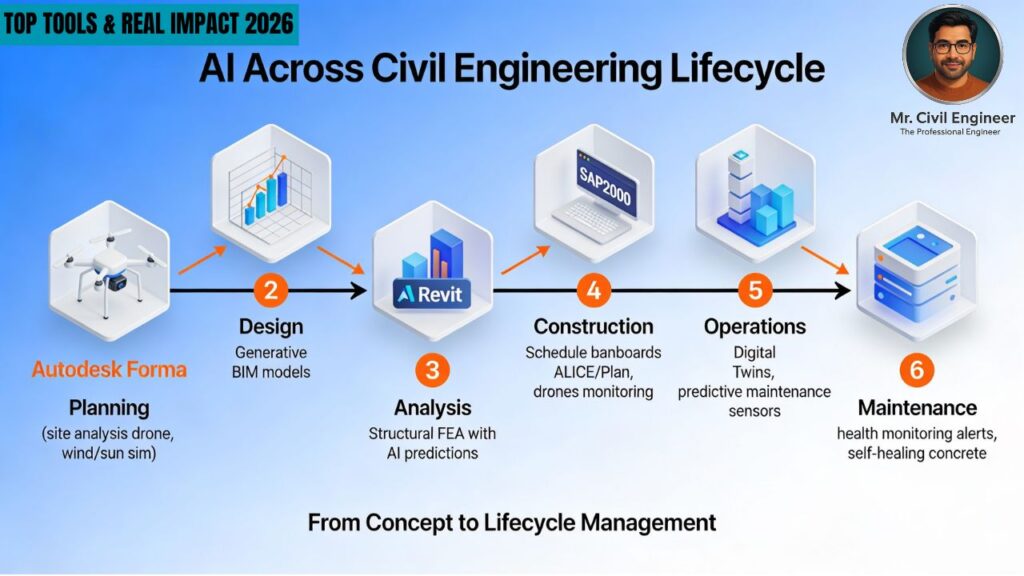
AI is not a single tool; it appears at multiple stages of a project.
- Planning and feasibility: AI can analyze topography, traffic, environment, and historical data to suggest optimal routes, bridge sites, or land-use scenarios.
- Structural and infrastructure design: AI-enhanced software explores thousands of design variants, checks code compliance, and optimizes for weight, cost, and performance.
- Construction management: ML models study past schedules and site data to forecast delays, propose better sequences, and optimize resource allocation.
- Site monitoring and safety: Computer vision on images from drones or CCTV can measure progress, detect hazards, and verify quality.
- Operations and maintenance: AI processes sensor data from bridges, dams, and buildings to detect anomalies, predict deterioration, and support digital twins.
Understanding these touchpoints helps you see where AI could realistically fit into your own workflows.
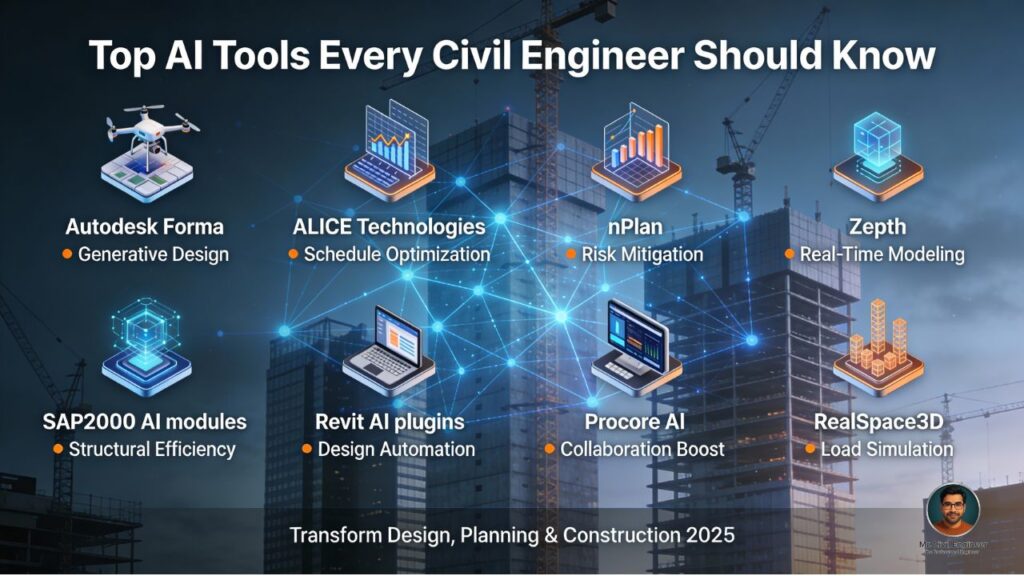
Top AI tools every civil engineer should know
The tools below are grouped by use case. Specific products evolve quickly, so focus on understanding categories and capabilities.
1. AI tools for planning and generative design
Modern planning tools use AI to generate and evaluate multiple design options automatically.
- Autodesk Forma and similar platforms use AI to test building massing, energy performance, and environmental factors (like daylight and wind) early in the design.
- Generative layout tools such as Hypar and other AEC-focused platforms create layout options for buildings and sites based on rules (e.g., unit mixes, setbacks, circulation), which engineers can then refine.
Why this matters: instead of manually iterating 3–4 options, you can explore dozens of scenarios and quickly narrow down to those that meet structural, planning, and sustainability goals.
2. AI tools for structural design and analysis
Several structural engineering tools now embed AI for optimization and automated checks.
- Packages like Autodesk Robot Structural Analysis, RFEM, SCIA Engineer, and SAP2000 are incorporating AI-powered features such as design optimization, automated load generation, and intelligent code checks.
- AI models can help identify critical load combinations, suggest efficient member sizes, and flag regions likely to fail serviceability or strength criteria.
Why this matters: instead of manually tweaking sections and checking each combination, AI helps converge faster on safe, economical designs while still leaving decisions in the engineer’s hands.
3. AI for project scheduling and risk prediction
Project delays and cost overruns are chronic issues in construction, and AI is being deployed directly against them.
- nPlan analyzes large databases of historical schedules to predict which activities in a new schedule are most likely to slip and by how much.
- ALICE Technologies offers AI-driven construction planning that can generate and compare many possible sequences and resource plans, helping teams choose robust schedules.
- Platforms such as Autodesk Construction Cloud and similar solutions integrate predictive analytics to surface risk trends, clashes, and coordination issues earlier.
Why this matters: by identifying risky activities and resource bottlenecks before they occur, AI helps reduce delays and improve reliability on complex projects.
4. AI for quantity takeoff, estimation, and documents
A large chunk of engineer time still goes into reading drawings and documents.
- AI-based quantity tools can read 2D drawings or BIM models to automatically extract quantities and item lists, reducing manual takeoff effort.
- Document intelligence solutions classify and index RFIs, submittals, contracts, and technical reports, making it easier to search and summarize key information.
Why this matters: instead of spending nights doing takeoffs and paperwork, engineers can focus on decisions, value engineering, and coordination.
5. AI for site monitoring, drones, and digital twins
Field data is where AI becomes truly visual and tangible.
- AI-assisted drone platforms can compare daily or weekly scans with design models, calculate earthwork volumes, and flag deviations automatically. On one long transmission line project, AI-assisted drone surveys cut weeks off the schedule and saved hundreds of thousands of dollars by catching earthwork deviations early.
- In structural health monitoring, AI analyzes vibration, strain, and displacement data from sensors installed on bridges, tunnels, and high‑rises to detect early signs of damage.
- These data streams feed digital twins—live digital replicas of assets that update with sensor data and support predictive maintenance.
Why this matters: instead of relying on occasional visual inspections, engineers get continuous insight into construction progress and long-term asset performance.
6. Everyday AI assistants for civil engineers
Beyond niche tools, general-purpose AI assistants already help with daily tasks.
- Engineers use AI chat tools to draft method statements, inspection checklists, and client emails, or to explain code clauses in simpler terms.
- Code copilots can support scripting in Python/Excel/Dynamo/Grasshopper for custom design automation workflows, even for users with modest programming skills.
Why this matters: small productivity boosts across many tasks can add up to hours saved each week, especially for junior engineers.
Real-world impact: examples and numbers
Several case studies show that AI is not just a buzzword.
- On infrastructure and linear projects, AI-supported drone surveys and change-detection algorithms have cut re-grading by around a quarter and reduced heavy equipment fuel usage by double-digit percentages by improving cut–fill balance.
- Major consulting reports estimate that early adopters of digital and AI construction technologies could unlock hundreds of billions of dollars in additional profit pools globally, largely by closing the long-standing productivity gap with other sectors.
- In SHM, AI-driven anomaly detection has allowed asset owners to find issues in bridges and dams earlier than traditional methods, extending service life and reducing emergency repairs.
For individual engineers, this translates into more predictable projects, better safety, and the chance to work on higher-value tasks rather than manual grunt work.
How to start using AI in your civil engineering career
You do not have to be a data scientist to benefit from AI. A practical starting path looks like this:
- Activate AI already inside your existing tools
- Explore AI features in BIM, structural, or project management software you already use (e.g., automated clash checks, design suggestions, schedule analytics).
- Pick one high-impact AI use case
- If you are in design, experiment with a structural optimization or generative design tool.
- If you work in construction, try an AI-powered progress tracking or schedule risk tool on a pilot project.
- Build foundational literacy
- Take short courses or webinars on AI in civil engineering and infrastructure from professional bodies and universities.
- Learn basic scripting (Python/Excel, Dynamo, Grasshopper) to connect AI outputs to your everyday workflows.
- Keep engineering judgment at the center
- Always validate AI outputs against codes, standards, and practical experience.
- Treat AI as a decision-support tool, not an automatic design authority.
Limitations, risks, and ethics
AI’s power comes with responsibilities.
- Data quality and bias: Poor or unrepresentative project data can lead to misleading predictions, especially in new geologies, climates, or construction practices.
- Black-box behavior: Many models are not easily interpretable, which conflicts with the transparency expected in safety-critical engineering decisions.
- Liability and codes: Current design codes and regulations assume human responsibility; blindly following AI outputs can create legal risks if something goes wrong.
- Security and privacy: Uploading drawings, contracts, and sensor data to cloud AI services raises cybersecurity and confidentiality concerns.
Engineers must stay engaged in discussions about standards, validation, and ethics as AI use grows.
FAQs
Will AI replace civil engineers?
Most experts expect AI to change the way engineers work rather than eliminate them. Routine calculations, documentation, and coordination will increasingly be automated, but tasks involving judgment, ethics, stakeholder engagement, and complex trade-offs will still rely heavily on human engineers
Do I need to learn coding to use AI tools?
Many commercial AI tools are no‑code or low‑code, integrated into familiar design and project platforms. However, basic scripting skills help you customize workflows and connect different tools more effectively.
Which AI tools are best for students?
Students can start with generative design tools, AI features in BIM/structural software via university licenses, and general AI assistants for learning concepts and drafting reports. This builds intuition without needing expensive enterprise subscriptions.
Conclusion: AI as your new project teammate
AI is already transforming how civil engineers plan, design, build, and maintain infrastructure—from drone-based earthwork optimization to intelligent structural analysis and predictive project scheduling. Instead of viewing it as a threat, treat AI as a powerful teammate that handles the repetitive and data-heavy work so you can focus on the creative and responsible side of engineering.
Pick just one or two tools from this guide, apply them to a real project or academic assignment, and you will quickly see how AI can upgrade your productivity and impact as a civil engineer.
Read This Also
- Types of Soil Tests for Building Construction
- Latest Building Materials in Construction (2026 Update)
- How to Estimate Brickwork and Rate Analysis with Example
- Application of Smart Materials in Structural Engineering
- Top 20 Latest Advancements in Concrete Technology (2025–2026)
- Types of Staircases – Complete Classification, Features, and Uses